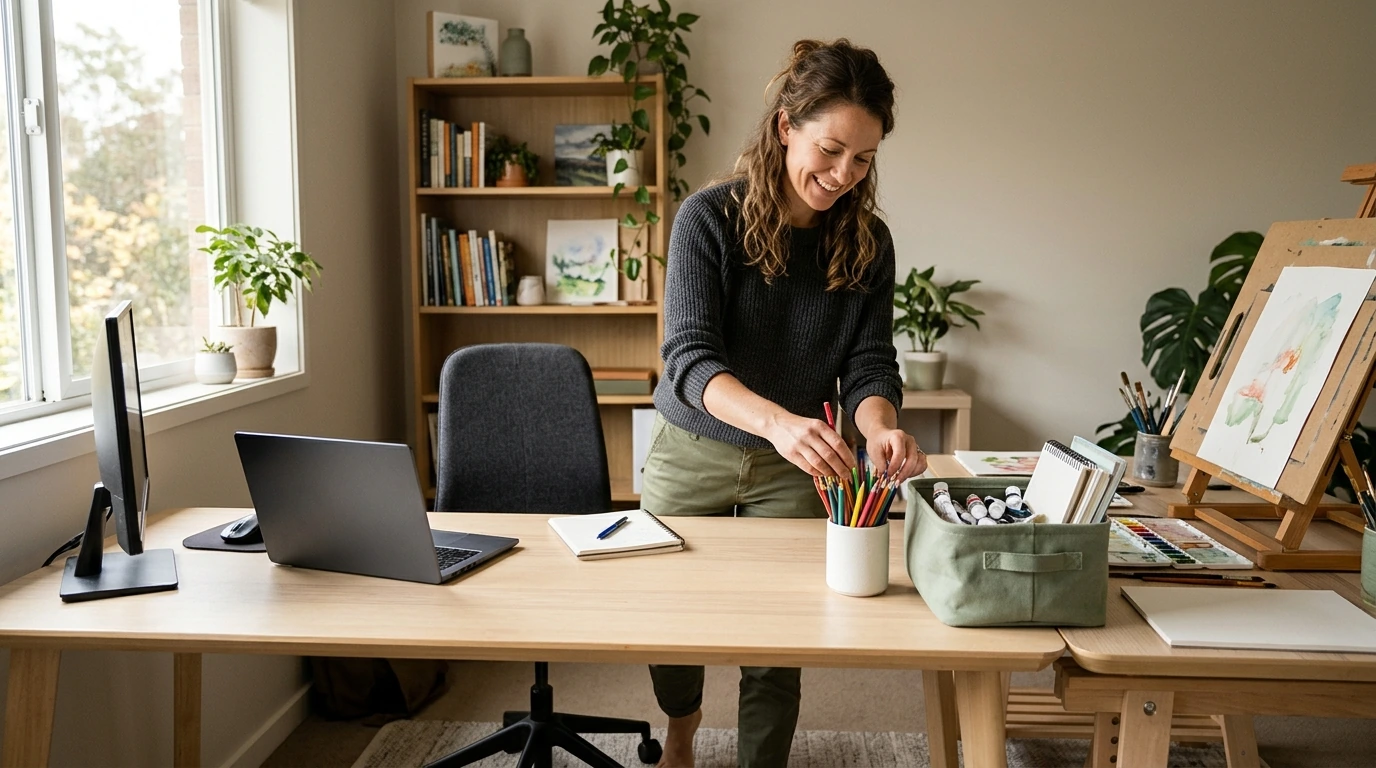
Create Home and Office Activity Zones: Printable Checklist
Before moving a desk or shopping for storage, list the activities that happen regularly. Include both obvious tasks, such as computer work, and smaller routines, such as sorting mail or helping a child with a project. Note where each activity currently happens and whether that spot makes the task easier or harder.
Look for friction points. Maybe your pens live in another room, incoming papers collect on the kitchen counter, or you must clear a table every time someone needs it. These interruptions can reveal what a zone needs more clearly than a furniture catalog can.
Use our checklist to work through those decisions before making changes. You may discover that moving a basket or assigning a shelf solves the problem without buying anything.
Match each activity to the space available. Consider light, noise, access to outlets, and how often you use the area. A daily task deserves an accessible spot; occasional projects may work well in a portable container.
A zone can be a whole room, a corner, a shelf, or a caddy. For computer work, leave enough room to position your screen and input devices comfortably. Keep cords out of walkways.
Featured in this guide
The Ultimate Checklist for Creating Activity Zones | Printable Home & Office Organization Guide | How to Create Zones for Different Activities | Digital Download
For a shared table, decide where supplies will go when someone needs the surface for another activity.
Give essentials an obvious place to return. A paperwork zone might use separate folders for documents to handle and items to keep. A creative zone might need a container large enough for an unfinished project.
A tray, basket, or shelf can define a zone without walls. In a shared space, agree on a manageable reset: return pens to their cup, put papers in a folder, and carry the project caddy back to its shelf.
If family members need help talking through shared routines, our Talk & Connect parent-child communication workbook offers conversation starters that can support those discussions.
Our Ultimate Checklist for Creating Activity Zones is a printable digital download for planning home and office spaces around different activities.
Work through one zone at a time: choose the activity and location, gather its supplies, and decide how to reset the area. Use the arrangement during a normal week, then adjust what gets in your way. If you keep carrying a notebook across the room, for example, move its home closer.
Start with the activity that causes the most clutter or interruption. You don’t have to reorganize the whole room: pick one location, give the essentials a home, and test a reset routine. Our team recommends adjusting that small zone before moving on to the next one.
Compare related options such as Mastering Your Monthly Budget | Printable Digital Guide to How to Manage Household Expenses, Budgeting Tips, 50/30/20 Rule, AI Tools for Smarter Spending to match features, dimensions, and use case before choosing.
Choose an activity and a suitable place, gather the supplies you need there, and decide how to reset the area after use. In a small space, a tray, shelf, or portable caddy can define the zone.
Use the activity zone settings for your device in the eufy Security app to select an area for motion detection. Steps can vary by device, so refer to your model’s instructions.
Use your camera’s settings in the Google Home or Nest app to create an activity zone, depending on your camera model. Select the area you want to monitor and save your settings.
Activity zones on Blink cameras let you choose areas of the camera view to include or exclude from motion detection, depending on the device and its settings. Our printable checklist instead focuses on organizing physical spaces for everyday activities.










Leave a comment